AI content marketing is the use of generative and predictive AI to plan, create, personalize, and distribute content faster than traditional methods allow. Generative AI — tools like ChatGPT — creates new content from structured prompts: blog posts, video scripts, social copy, and product descriptions. Predictive AI analyzes behavioral data to forecast which content will resonate, score leads based on engagement, and personalize delivery to each audience segment. Both are part of a modern content marketing strategy, but most guides only explain one.
This guide covers both. If you run content for your company and want to use AI to generate more pipeline with less manual work, you're in the right place. We cover building your first AI-assisted content workflow through advanced use cases like topic clustering, audience simulation, and content repurposing at scale.
What Is AI Content Marketing?
AI content marketing is the practice of using artificial intelligence — including machine learning, NLP, and generative models — to plan, create, personalize, and optimize content across the marketing funnel. It operates at the intersection of content marketing strategy and AI technology, using data-driven intelligence to replace or augment the manual decisions content teams make every day.
AI content marketing works through 2 distinct mechanisms: generative AI, which produces new content from instructions, and predictive AI, which analyzes patterns to forecast outcomes. The core purpose is scale without sacrifice — more content, for more audience segments, with higher relevance, without adding headcount.
Most definitions of AI content marketing focus only on generative AI — the type that creates new content from prompts. Predictive AI analyzes your existing audience data to predict which topics will drive engagement, which leads are closest to converting, and which customers are at risk of churning. For marketing teams, this distinction determines where you deploy AI. Generative AI speeds up production. Predictive AI tells you what to produce and who to send it to.
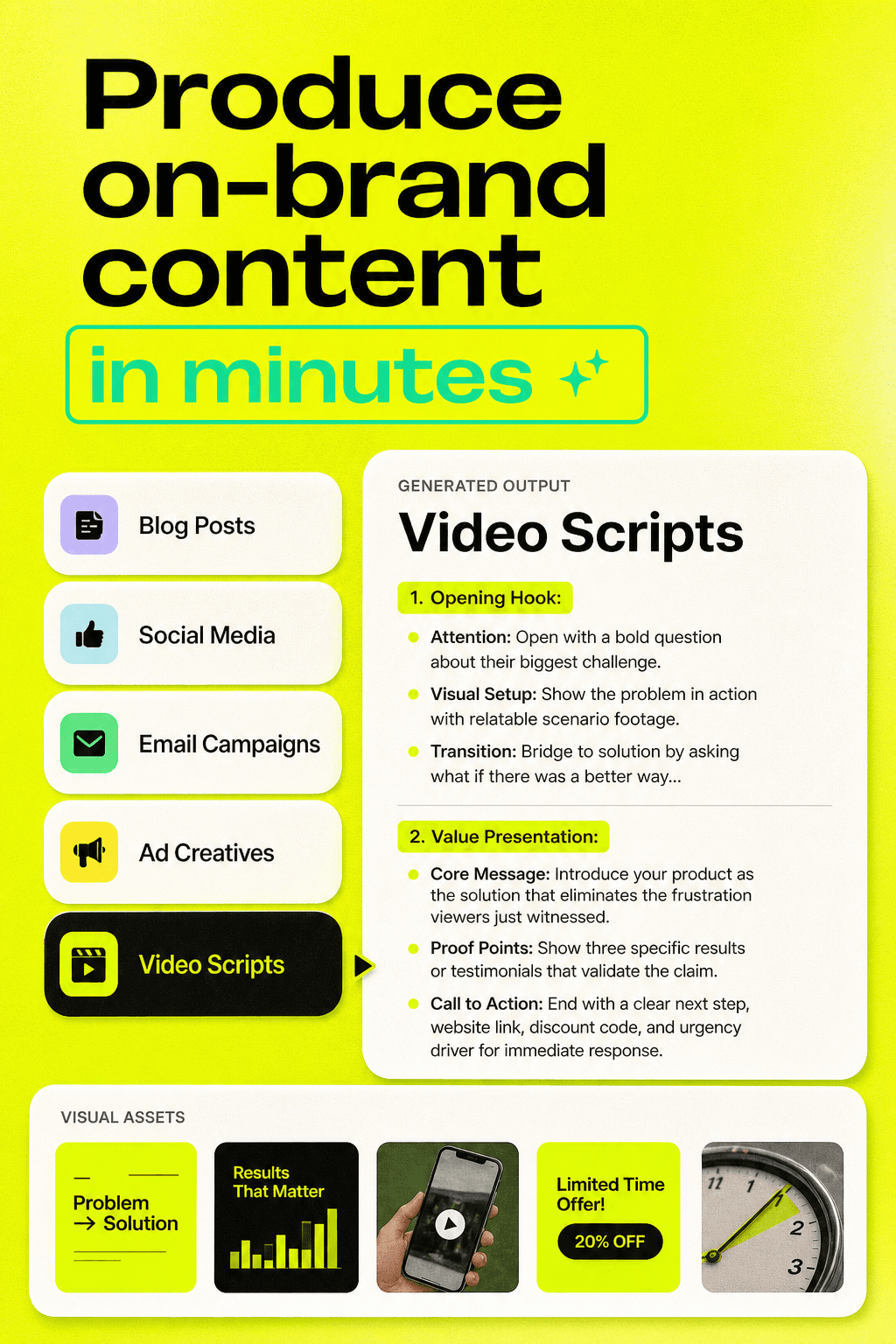
Produce on-brand content
GPT Image
Nano Banana
Runway
Claude
Recraft
Instagram Scraper
Google Search
Deep Research

Generative AI vs Predictive AI — Why the Distinction Matters
Generative AI and predictive AI serve 2 fundamentally different functions in your content operation. If you treat them as the same thing, you'll under-invest in the one that connects content to revenue.
Generative AI | Predictive AI | |
What it does | Creates new content from prompts | Analyzes data to forecast behavior |
Primary input | Instructions, briefs, context | Historical data, engagement signals |
Primary output | Blog posts, social copy, video scripts | Lead scores, content predictions, segment insights |
Best for | First drafts, ideation, repurposing | Timing, targeting, retention |
Example tools | ChatGPT, Claude, Gemini | HubSpot Predictive, 6sense, Salesforce Einstein |
Data requirement | Low — works from instructions | High — requires CRM/analytics integration |
Understanding this split changes how you plan your AI content stack. Generative AI is available to any team right now. Predictive AI grows more valuable as your first-party data matures.
How Machine Learning Powers Both Types
Machine learning trains large language models (LLMs) on vast text datasets in generative AI, teaching them to predict the next most likely word given a context — which is how they write. In predictive AI, machine learning trains classification or regression models on your first-party data to find patterns that correlate with outcomes like conversion, churn, or engagement.
NLP powers both types: it lets generative models understand your prompts and lets predictive models extract meaning from unstructured text sources such as reviews, support tickets, and survey responses. AI-generated content is a direct output of generative AI — but the strategic decisions about what to create and who to send it to belong increasingly to predictive AI.
Building an AI Content Marketing Strategy
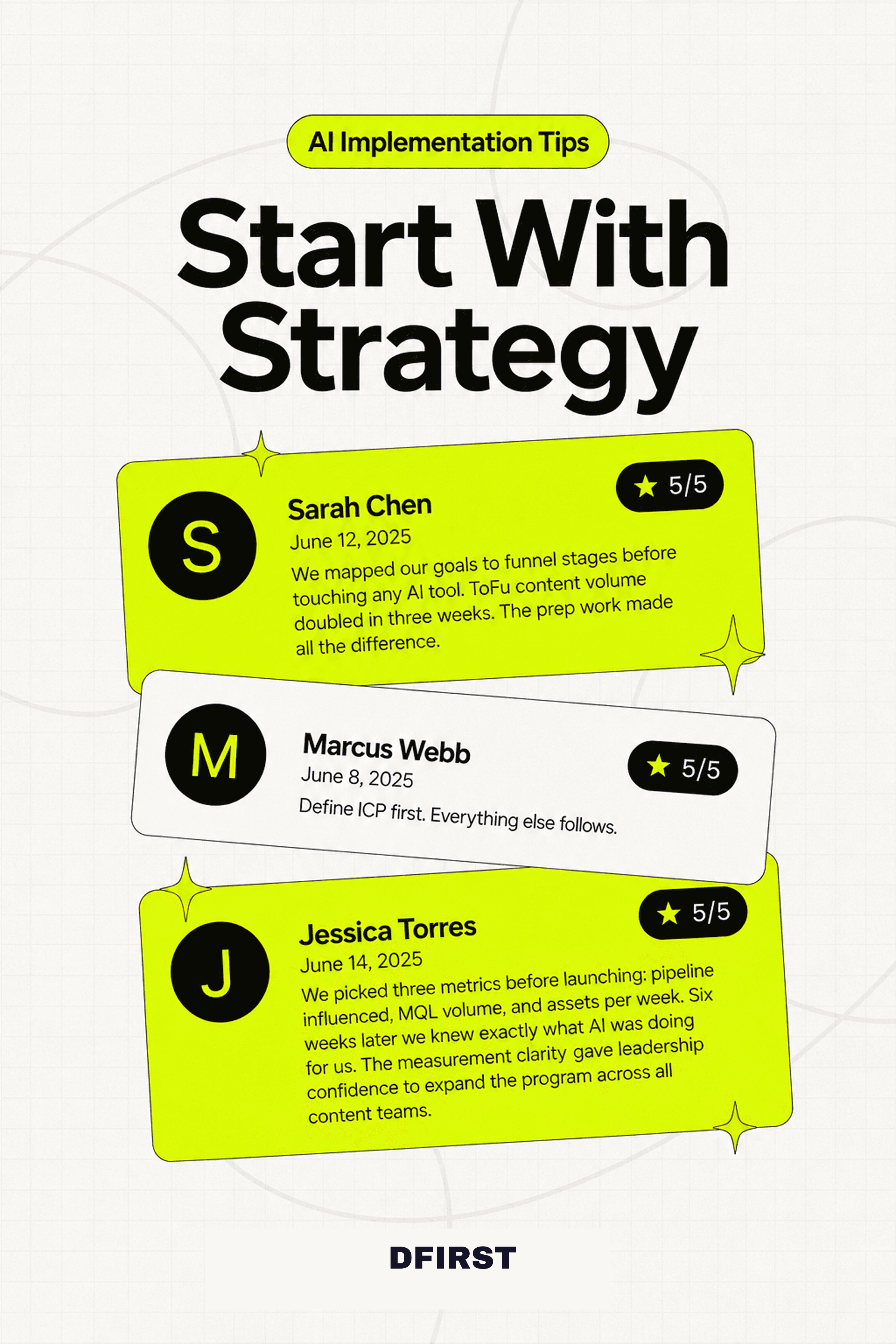
An AI content marketing strategy works when you define what success looks like before you pick a single tool. AI amplifies whatever direction you point it — a clear strategy means it amplifies the right things; no strategy means it produces more of the wrong things, faster. Decisions about what to create, who to target, and when to publish must be grounded in audience data and content performance signals, not instinct. Audience segmentation, content funnel mapping, and goal-setting are human tasks that give AI the context it needs to be useful.
Setting Goals Before Picking Tools
Before you evaluate any AI tool, answer these 3 questions:
What does your content need to accomplish? Map your goals to funnel stages. If you're generating awareness (ToFu), generative AI for content volume and SEO clustering is your priority. If you're driving conversion (BoFu), predictive AI for lead scoring and personalized nurture sequences matters more.
Who are you creating content for? Define your ICP with enough specificity to use it as a prompt input. "B2B marketers" is too broad. "Marketing managers at Series B SaaS companies who are responsible for content ROI but haven't hired a dedicated AI specialist" is prompt-ready.
How will you measure progress? Decide on 2–3 metrics before you start — pipeline influenced, MQL volume, content efficiency (assets per week) — so you can tell whether AI is moving the needle.
Pro Tip: Write your goals as a one-paragraph creative brief before your first AI experiment. Treat it as the onboarding document you'd give a new content hire. That brief becomes the foundation for every prompt you write.
Audience Segmentation with AI
AI-powered audience segmentation identifies micro-segments based on 3 behavioral dimensions: which content formats different ICP groups prefer, what topics signal buying intent vs. curiosity, and how engagement patterns differ by company size, role, or industry. This goes well beyond the demographic splits traditional segmentation tools produce.
3 steps to get started:
Use engagement data as segmentation input. Pull your top-performing content by segment from your analytics platform. Feed the patterns into a prompt: "Based on these engagement patterns, describe the likely differences in intent and needs between these two audience segments."
Let AI surface the segments you didn't know existed. Ask your AI tool to analyze your email list or CRM data for behavioral clusters. If your "mid-market" segment contains 2 distinct buying motions with different content needs, AI will surface that split.
Build segment-specific content calendars. Once you have clear segments, generate content plans for each — one prompt per segment, one content calendar per quarter. Adjust quarterly based on performance.
Mapping AI to Your Content Funnel (ToFu / MoFu / BoFu)
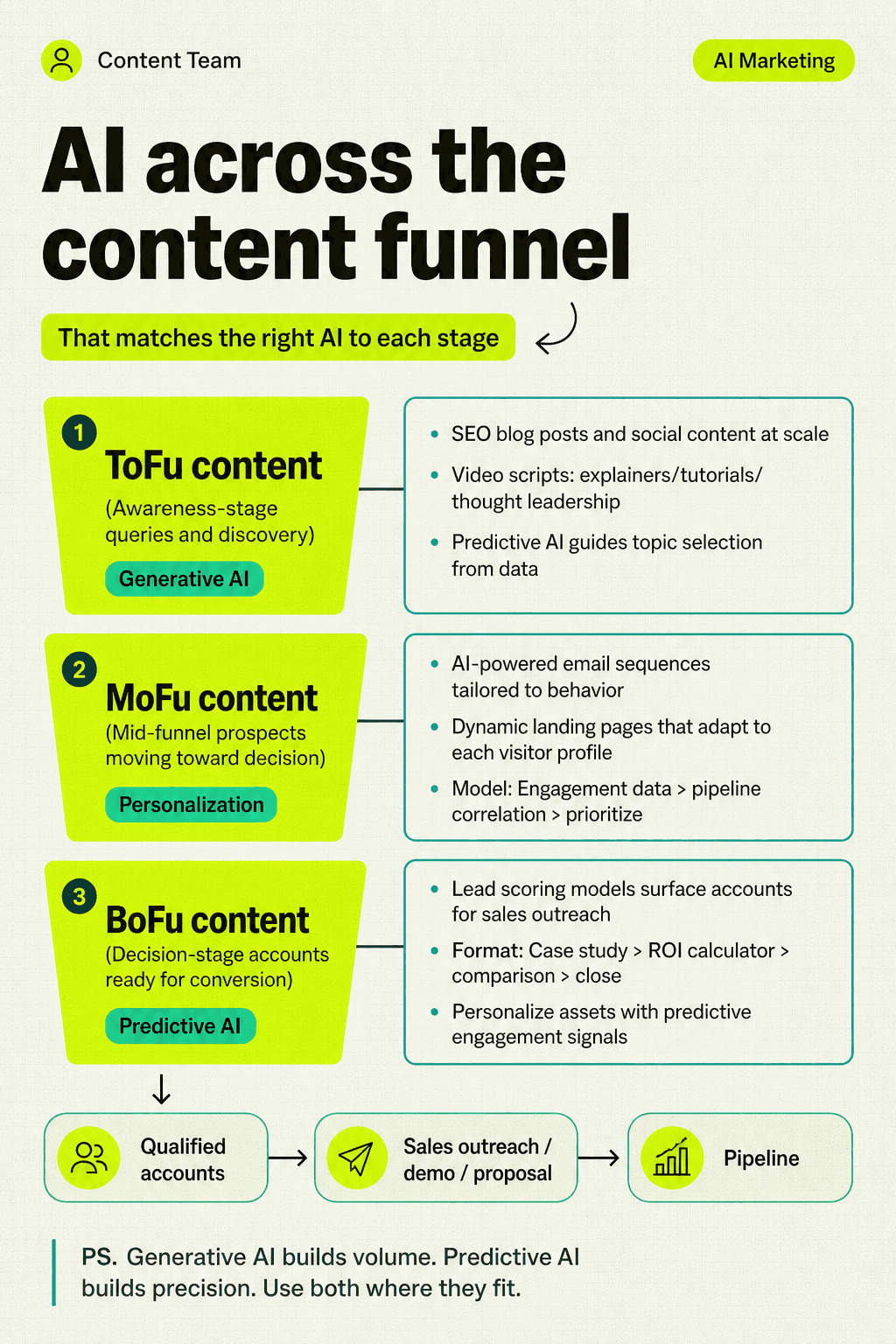
Each of the 3 stages in the content marketing funnel benefits from AI differently.
ToFu (Top of Funnel): Generative AI is your primary asset here. Use it for SEO blog posts, social content, and video scripts targeting awareness-stage queries. Pair it with predictive AI for topic selection — let performance data guide what you write.
MoFu (Middle of Funnel): Personalization drives performance at this stage. AI-powered email sequences, dynamic landing pages, and personalized content recommendations keep mid-funnel prospects moving toward a decision. Predictive models identify which MoFu content pieces correlate most strongly with pipeline creation.
BoFu (Bottom of Funnel): Predictive AI leads here. Lead scoring models trained on content engagement data surface the right accounts for sales outreach. Personalized case studies, ROI calculators, and comparison pages can be generated at scale with generative AI and personalized with predictive signals.
AI for Content Ideation
AI for content ideation solves the 2 biggest gaps in traditional ideation: discovering what your customers are actually saying in their own words, and identifying topics in your market that no one covers well. The traditional process — keyword tool + team brainstorm + gut feel — misses both. AI closes them in hours rather than weeks.
Extracting Ideas from Customer Conversations (Voice of Customer)
Voice of customer (VoC) mining is the practice of using AI to extract patterns from sales call transcripts, support tickets, review sites, and community discussions. Feed 50 sales call transcripts to ChatGPT with a prompt like "identify the top 10 objections and the language customers use to describe their pain" and you'll generate more content angles than your team can publish in a quarter — each grounded in the exact words your buyers use. The best content ideas don't come from keyword tools; they come from your customers.
A 5-step VoC mining workflow:
Gather raw material — export Gong/Chorus transcripts, Zendesk tickets, G2/Capterra reviews, and relevant Reddit/Quora threads.
Clean and batch — group by content type (calls, reviews, community).
Prompt for patterns — ask AI to extract recurring pain points, objections, and questions using the exact language customers use.
Map to funnel stages — sort the output by where each pain point appears in the buying journey.
Generate content briefs — use the extracted language as input for content angle briefs.
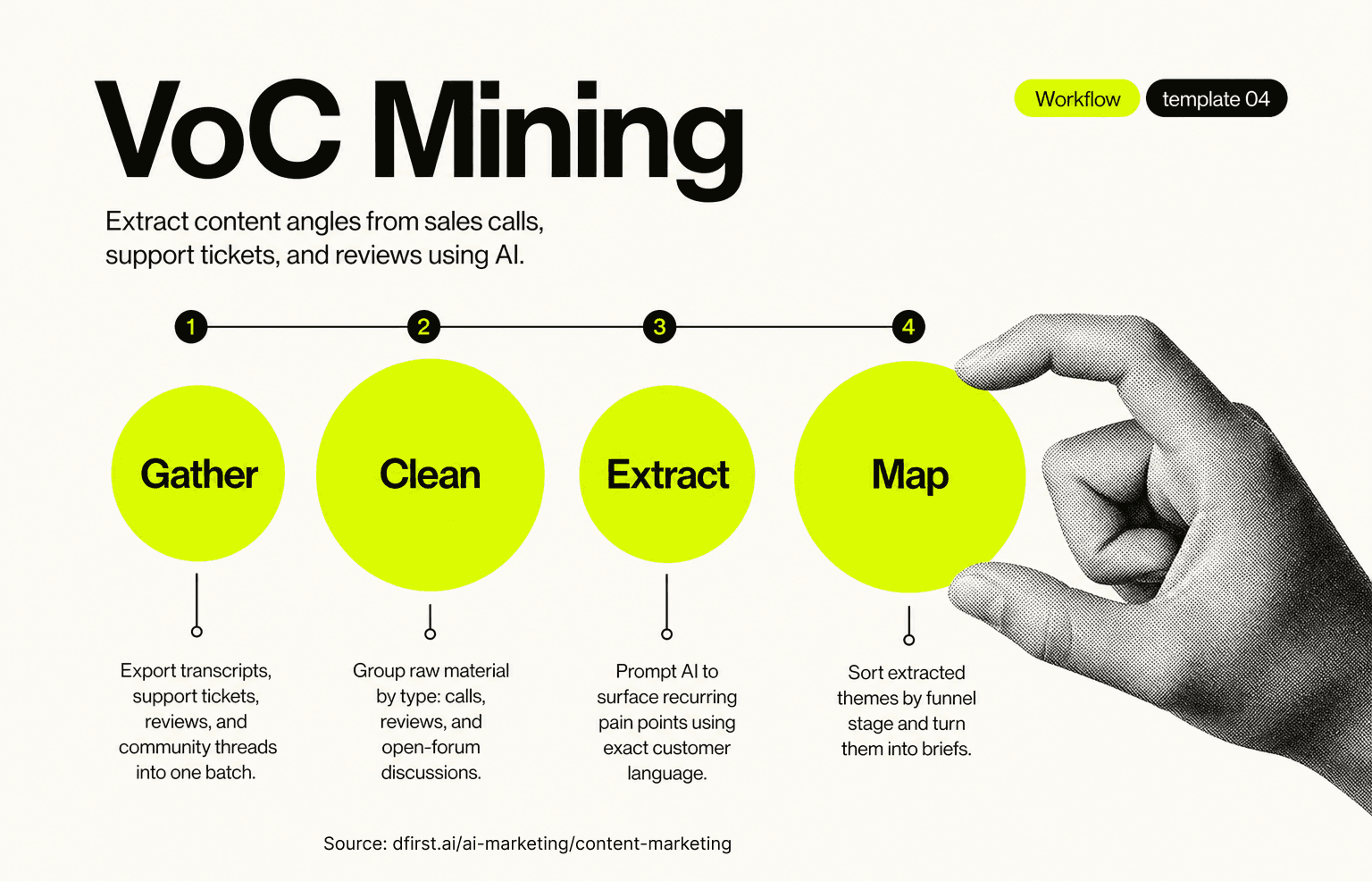
Pain point identification is a core sub-process of VoC mining. The goal is to move from "what are our customers' problems?" to "what exact words do they use to describe them?" — which is the foundation of content that connects.
Pro Tip: Ask AI to score each pain point by frequency and emotional intensity. High-frequency + high-intensity topics produce your highest-engagement content.
Intent Gap Analysis — Finding What Competitors Miss
Intent gap analysis identifies what your target audience searches for that no competitor in your space adequately covers. Traditional keyword research finds gaps in volume. Intent gap analysis finds gaps in meaning — questions that exist in your market that are being answered badly or not at all.
How to run a 4-step intent gap analysis with AI:
Collect the top 5–10 ranking URLs for your primary keyword.
Use AI to summarize what each page covers and what angle it takes.
Prompt: "Based on these summaries, what questions about [topic] are these pages not answering well? What would a reader still want to know after reading all of them?"
Cross-reference the output against your keyword data to find topics with search volume that competitors under-serve.
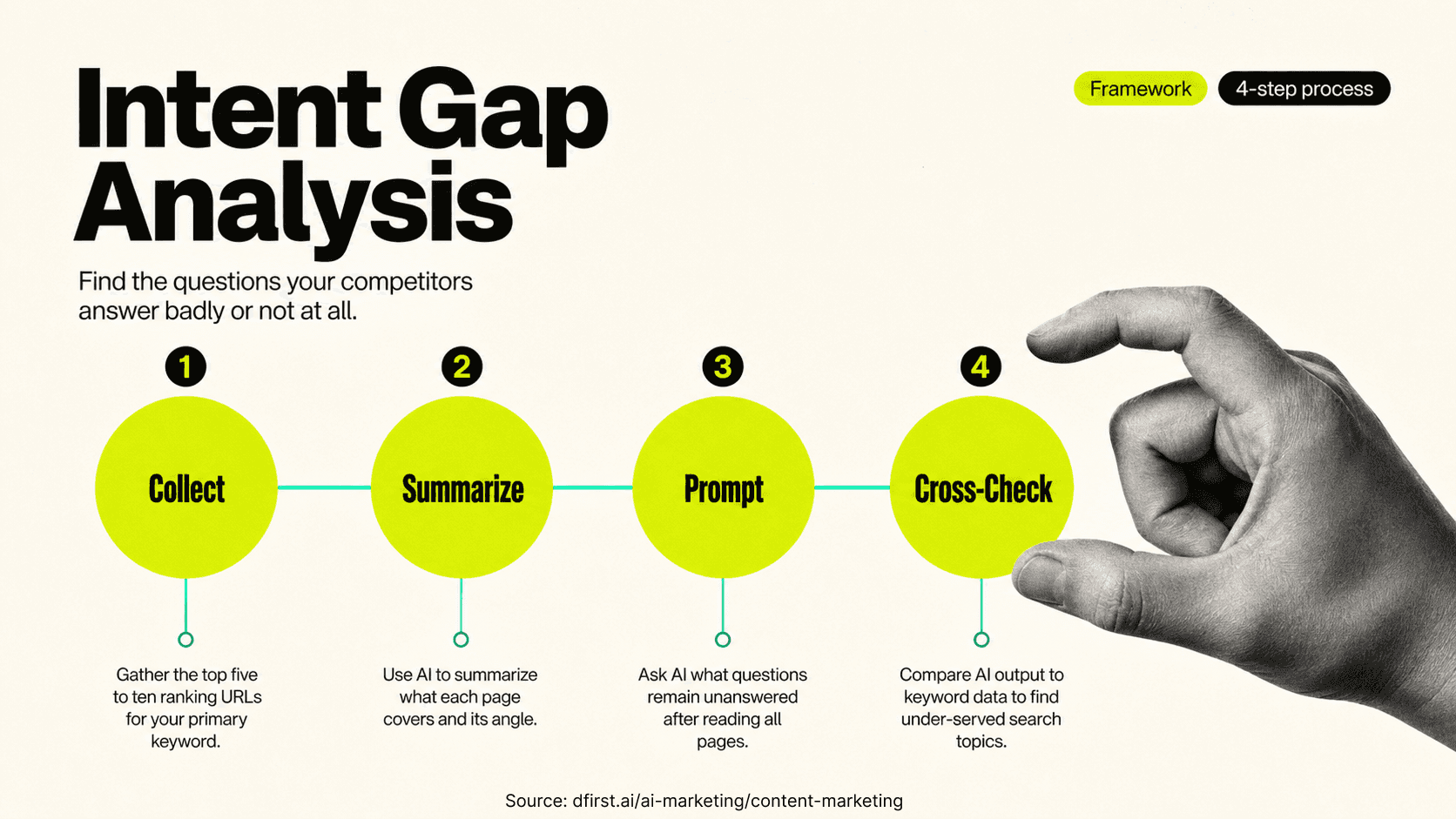
The content brief for this article was built using exactly this approach — and it surfaced 14 strong-gap entities that no competing page covers.
Topic Clustering with AI
Topic clustering builds interconnected content architectures where a pillar page covers a broad topic and cluster pages cover specific sub-topics — all linking to each other to signal topical authority to Google. AI accelerates topic clustering in 2 ways: it generates an entire cluster map from a single seed keyword in minutes, and it analyzes your existing content to surface gaps in your current cluster coverage.
Feed your sitemap or content list to an AI tool and ask: "Based on this content inventory, which sub-topics in the [topic] cluster are we missing?"
Traditional Ideation | AI-Assisted Ideation |
Keyword tool + search volume | Keyword tool + VoC data + intent gap analysis |
Team brainstorm (limited by team knowledge) | AI synthesis of customer language + competitor gaps |
One idea at a time | Cluster maps with 20–50 ideas at once |
Based on what ranks now | Based on what your audience asks and what competitors miss |
Days to research | Hours to research |
Prompt Engineering for Content Teams
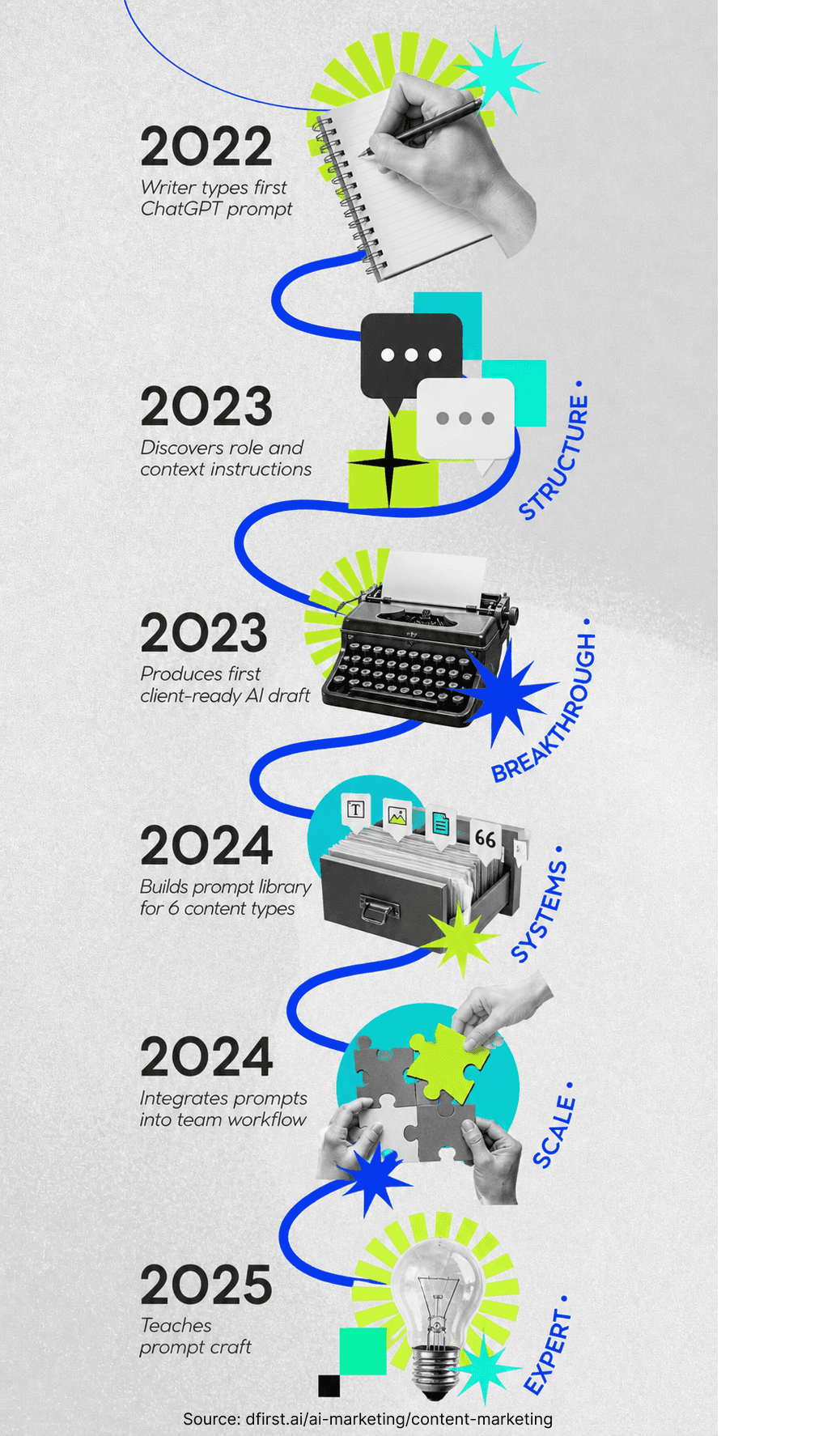
Prompt engineering is the highest-value skill content teams can build right now, because the gap between generic AI output and publication-ready drafts comes down entirely to prompt quality. ChatGPT is the most-mentioned tool in AI content marketing — but no competitor guide explains how to use it well.
How to Write Prompts That Produce Usable Content
To write prompts that produce usable content, structure each prompt around 6 components. Generic prompts produce generic content — "Write a blog post about AI content marketing" generates something indistinguishable from thousands of other posts created the same way. The fix isn't a better AI tool; it's a better brief.
1. Role — Tell the model who it is. "You are a senior B2B content strategist with 10 years of experience writing for marketing technology audiences."
2. Audience — Be specific. "The reader is a marketing manager at a Series B SaaS company. They've used ChatGPT a few times but haven't built a systematic AI content workflow."
3. Tone — Name the feeling, not just the style. "Practical, direct, and peer-to-peer — like advice from a respected colleague, not a textbook."
4. Format — Specify the output structure. "Write an H2 section for a long-form guide. Include 3 sub-headings (H3), at least one pro tip blockquote, and a comparison table."
5. Context — Give the model information it doesn't have. Include your product differentiators, customer quotes, internal data, or proprietary perspectives. This is what makes the output unique.
6. Constraint — Tell it what NOT to do. "Do not use the phrase 'in today's fast-paced world.' Do not write in a passive voice. Do not use filler phrases."
Prompt Templates for Content Types
There are 4 reusable prompt structures for common content formats:
Blog post outline prompt:
"You are a [role] writing for [audience]. Create a detailed outline for a long-form blog post on [topic]. Include: an H1 title, 6–8 H2 sections with 2–3 H3 sub-headings each, a brief note on the angle for each section, and a FAQ section with 5 questions. Format as a structured outline, not prose."
ICP pain point prompt:
"Here is a description of our ideal customer: [ICP description]. List the top 10 content topics this person actively searches for. For each topic, provide: the exact search query they'd use, the underlying fear or goal driving the search, and the content format most likely to satisfy their intent."
Content repurposing prompt:
"Here is a blog post: [paste post]. Repurpose this into a LinkedIn carousel with 8 slides. Slide 1: hook (problem/tension). Slides 2–7: one insight per slide, each as a single bold statement followed by 2 sentences of context. Slide 8: CTA. Keep each slide under 60 words."
SEO topic cluster prompt:
"Here is my seed keyword: [keyword]. Generate a topic cluster with 1 pillar page and 10 cluster page topics. For each cluster topic, provide: the target keyword, the search intent (informational / navigational / commercial / transactional), and a one-sentence content angle brief."
The AI Creative Brief — What to Hand the Model Before It Writes
Before you prompt an AI tool, write a creative brief — not a prompt. A creative brief tells the model who it's writing for, what they already know, what problem they're trying to solve, and what a successful piece of content looks like. The people getting the best AI output aren't the ones with the most sophisticated prompts; they're the ones who spend 10 minutes on context before they type a single instruction.
A complete AI creative brief includes 5 elements:
Publication goal — What do you want a reader to do or believe after reading this?
Audience specifics — Role, company stage, current knowledge level, and primary objection.
Tone reference — Link to or describe a piece of content that has the right voice.
Unique angles — What does your company know about this topic that no one else can say?
Off-limits — Claims you can't make, topics that are out of scope, competitors not to name.
Human-AI Collaboration — What to Keep, What to Edit
AI first drafts are starting points, not finished products. The editing layer is where content gets its voice, credibility, and distinctiveness — and it's the layer most teams underinvest in.
Keep from AI drafts: Structure, argument sequence, factual scaffolding, section headings, and lists. AI handles these well, and editing them rarely improves them.
Always edit: Introductions (make them specific), examples (replace generic with your own), statistics (verify every one), and tone (AI defaults to a voice that sounds like everyone else).
Add what AI can't generate: First-person perspective, proprietary data, customer stories, contrarian positions, and expert opinions. These are the elements that separate AI-assisted content from AI-generated content — and they're what Google's E-E-A-T guidelines measure.
Common Mistake: Publishing AI output without a human edit pass. The goal isn't to remove AI from the process — it's to ensure no AI fingerprints remain in the final product. Readers and search engines can both tell the difference.

Content Repurposing at Scale with AI
Content repurposing with AI converts a single long-form asset into 8 or more format-specific pieces in minutes — a process that used to take nearly as long as creating the original. This is where AI delivers the most immediate, measurable ROI for content teams, and it's a structural gap that competing guides barely address.
The Atomization Model — One Asset, Many Formats
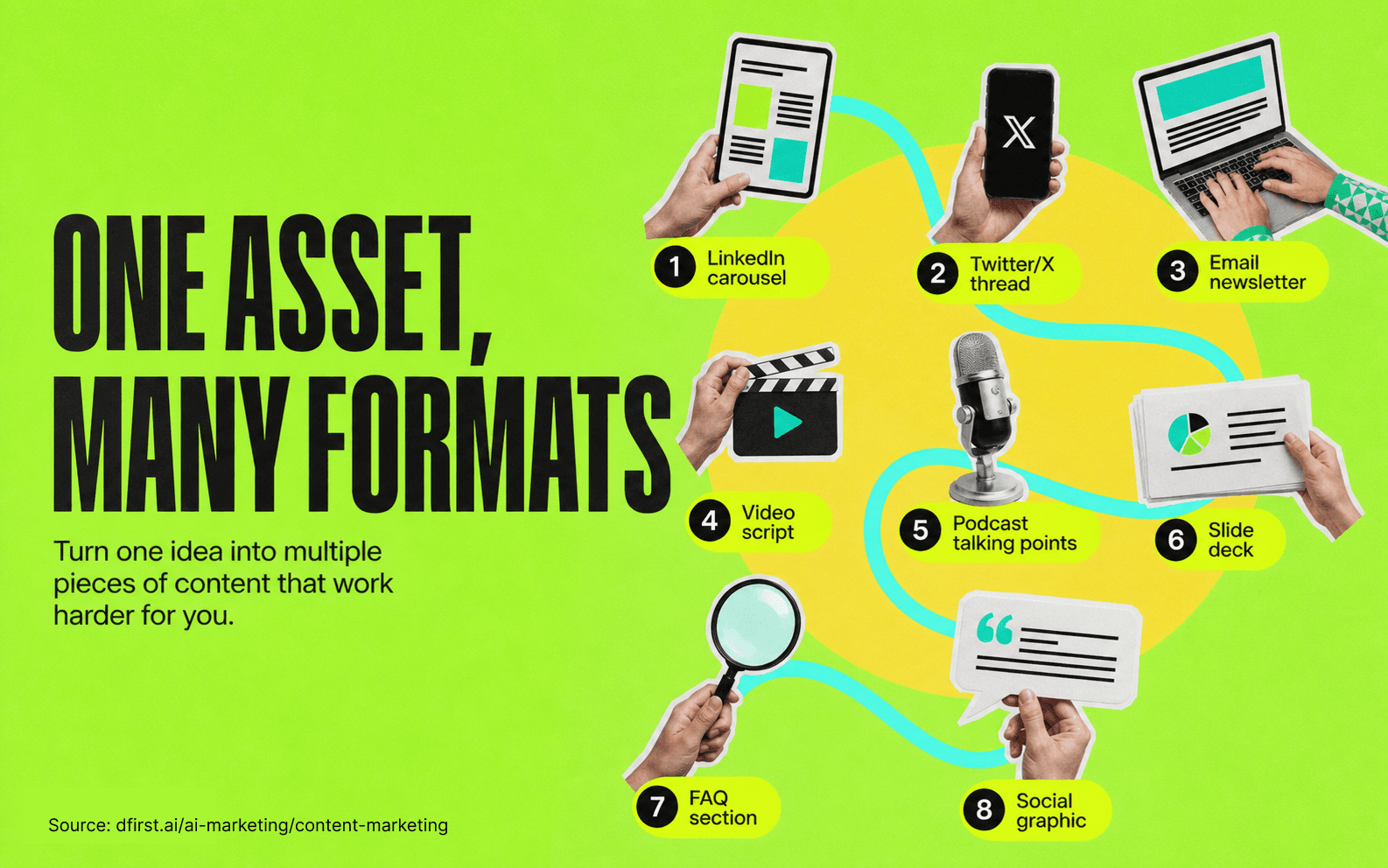
Content atomization takes a single primary asset — usually a long-form blog post or research report — and breaks it into smaller, format-specific pieces for every channel you publish on. One blog post generates 8 distinct content assets:
LinkedIn carousel — 8 slides pulling the core argument and supporting points
Twitter/X thread — 10 tweets, each making one claim from the post
Email newsletter — 300-word summary with the key insight and a link
Video script — 3–5 minute script framed as "the 5 things you need to know about X"
Podcast talking points — 5 discussion questions pulling from the post's key claims
Slide deck — 10-slide version for sales conversations or webinar repurposes
FAQ section — 5 questions derived from the post's main arguments
Social graphic — A single stat or quote formatted for visual social platforms
Pro Tip: Build your atomization prompts once and reuse them. Create a prompt library folder — one prompt per format — so any team member can repurpose any post in under 20 minutes.
Blog-to-Video Repurposing with AI
Blog-to-video repurposing converts existing written content into video scripts for platforms such as YouTube, TikTok, LinkedIn video, and Instagram Reels. The 4-step process:
Paste the blog post into DFIRST AI with a prompt: "Turn this blog post into a 4-minute video script. Open with the core tension, cover the 3 most important points, and close with the key takeaway. Use spoken, conversational language — not formal writing."
Review the output for accuracy and voice. AI scripts tend to be accurate to the source material but lose the punchiness of good spoken video. Add hooks, pause points, and transitions manually.
Feed the script to a text-to-video tool — such as Synthesia, HeyGen, or Runway — if you're producing AI-narrated video, or send it to your video team as a production brief if humans are on camera.
Repurpose the video back. Once the video exists, use AI to generate a transcript summary, pull short clips for social, and create chapters for YouTube.
Cross-Channel Campaign Management and Scheduling
Cross-channel campaign management with AI converts a single campaign brief into channel-specific content for every platform simultaneously, identifies the optimal publishing cadence based on audience engagement patterns, and flags gaps in your channel coverage before a campaign goes live. Your content calendar becomes a system, not a spreadsheet.
The workflow: Campaign brief → AI generates channel-specific content for each platform → Human review and edit → Scheduled publishing via automation → Performance data fed back into the next campaign brief.
Content scheduling becomes more precise when predictive AI informs timing. Instead of publishing at generic "best times," you publish based on your specific audience's engagement history — which platform, which day, which hour correlates with the highest engagement for your ICP.
AI-Powered Content Personalization
AI-powered content personalization delivers different content to different audience segments based on who they are and where they are in the buying journey — not just their name in an email subject line. This is one of the strongest opportunities in AI content marketing and one that competing guides consistently underserve.
Dynamic Content for Different ICP Segments
Dynamic content uses AI to serve different versions of the same page or email based on 5 audience signals: company size, industry, role, past engagement history, and funnel stage. A single landing page shows different hero messages, case studies, and CTAs to a VP of Marketing vs. a Content Manager — without building two separate pages.
4 steps to implement dynamic content personalization:
Step 1 — Define your segments. Start with 2–3 ICP variations, not 20. The complexity compounds quickly. Build personalization for your highest-volume segments first.
Step 2 — Identify the personalization variables. What changes between segments? Usually 3 things: the pain point framing, the social proof (case studies from relevant industries), and the CTA.
Step 3 — Generate segment-specific variants with AI. Use a base version of your content as input, then prompt: "Rewrite this hero section for an audience of [segment description]. Keep the core value proposition, but reframe the problem and the proof for this specific audience."
Step 4 — Set up your rules. Connect your personalization platform to your CRM or IP enrichment tool so the right content reaches the right segment automatically.
Audience Simulation — Testing Content Before You Publish
Audience simulation is the practice of using AI to role-play your target buyer — asking the model to respond to your content as if it were a specific ICP. Before publishing, feed your draft to the model with a persona prompt and ask: "What would a VP of Marketing at a 200-person SaaS company think of this? What questions would they have? What would make them distrust this?" It surfaces objections your team has been too close to see, and often reveals missing sections that would have hurt performance.
A practical audience simulation prompt:
"You are [ICP description]. Read the following piece of content. After reading, answer: (1) What's your overall reaction? (2) What claims made you skeptical? (3) What questions do you still have that the content didn't answer? (4) Would this content move you closer to taking action — and why or why not?"
Pro Tip: Run audience simulation on multiple ICPs at once. The same piece of content often reads very differently to a practitioner vs. a decision-maker — and knowing that changes how you frame the introduction.
Personalization in Email Marketing Automation
Email marketing automation is where AI personalization produces the clearest, most attributable ROI. AI-powered email sequences adapt based on 4 recipient behaviors: what they opened, what they clicked, how long they engaged, and what actions they took on your website afterward. This is dynamic content that updates based on engagement signals — not just segmented sequences with fixed copy.
For content teams, AI-powered email personalization means: subject lines A/B tested and optimized automatically, body content that adapts based on which blog posts or landing pages a contact has visited, and send timing optimized per recipient rather than per list. Predictive send-time optimization combined with AI-generated content variants is where email performance gains are most measurable.
Predictive AI in Content Marketing
Predictive AI is the strongest capability gap in AI content marketing — and the section most worth owning. Every guide covers ChatGPT and generative AI tools. But predictive AI is what separates teams that use AI to create content from teams that use AI to make content work. The 4 core applications — lead scoring, customer behavior prediction, sentiment analysis, and churn prediction — each connect content performance directly to revenue outcomes.
Lead Scoring with Content Engagement Signals
Predictive AI turns content engagement data into lead scores by training models on your CRM's closed-won records to identify which behavioral patterns correlate with closed deals. Every piece of content your company publishes generates this behavioral data — which pages a prospect reads, how long they stay, what they download, where they drop off. A prospect who reads your pricing page after 3 blog posts on enterprise security scores differently from one who only downloaded a top-of-funnel checklist.
To build content-driven lead scoring in 5 steps:
Define your engagement events — page views, downloads, email opens, video watches, webinar attendance.
Weight by intent signal — a pricing page visit is worth more than a blog post view. Assign scores accordingly.
Train on historical data — connect engagement data to your CRM's closed-won records to find which content engagement patterns correlated with deals.
Set thresholds for sales handoff — define the score at which a lead moves from marketing-qualified to sales-qualified.
Iterate quarterly — as more deals close, retrain the model on updated data.
Pro Tip: Don't start with a sophisticated ML model. A simple scoring matrix trained on your gut feel about which content signals matter will outperform no scoring immediately. The model gets more sophisticated as you collect data.
Customer Behavior Prediction for Content Timing
Customer behavior prediction uses predictive models to answer a question content teams rarely ask: when does a specific prospect need this piece of content? Timing is one of the most under-optimized variables in content distribution — the right content sent at the wrong point in the buying journey either doesn't land or feels pushy.
Predictive AI models trained on your pipeline data identify 3 timing signals: which content types a given account engages with at each stage of their decision process, the typical time between content engagement milestones and buying-stage advancement, and which content sequences — such as blog post A → webinar → case study B — most reliably move prospects forward.
This shifts your content calendar from "publish and hope" to "publish the right thing to the right person at the moment they're most likely to engage."
Sentiment Analysis — Reading What Customers Actually Feel
Sentiment analysis is an NLP-powered capability that extracts emotional tone from 5 types of unstructured text: reviews, support tickets, social mentions, community posts, and survey responses. For content teams, it answers a question keyword research can't — not just what your audience is asking, but how they feel about it.
3 practical content applications:
Content topic prioritization — If sentiment data shows your audience is frustrated with a specific workflow, a content piece addressing that frustration will outperform a topic with higher search volume but neutral sentiment.
Brand perception monitoring — Track how sentiment around your brand and competitors shifts over time. Sentiment drops often precede traffic and conversion declines by several weeks.
Review-to-content pipeline — Feed negative reviews and low-sentiment support tickets into your content ideation process. The complaints your customers file publicly are the topics your competitors are ignoring.
Sentiment analysis connects directly to the VoC mining process in the ideation section — together, they give you both the topics your audience cares about and the emotional context around them.
Churn Prediction and Content-Driven Retention
Churn prediction identifies at-risk accounts before they cancel — and content is one of the most scalable retention mechanisms available. This reframes content ops as a revenue protection function, not just a top-of-funnel acquisition engine.
When a predictive model flags an account as a churn risk, a content-driven retention sequence can deploy 3 types of targeted assets: a use case guide for a feature the account hasn't adopted, a case study from a similar company that solved the same challenge they're experiencing, or an educational sequence on advanced capabilities that increase stickiness.
AI for SEO Keyword Research and Topic Clustering
AI changes SEO keyword research from a task that finds individual keywords to a process that builds keyword architectures. A keyword cluster produces a topical authority structure where every page reinforces every other — and where ranking for the head term comes from owning the entire topic, not optimizing a single URL.
Using AI to Find Keyword Clusters, Not Just Keywords
AI-assisted keyword research maps the complete semantic landscape of a topic so you can own it systematically — not just identify which terms to target. Instead of pulling a keyword list and filtering by volume, start with a seed topic and ask AI to map the entire question ecosystem around it across 4 intent types:
What do people want to know about this topic? (informational intent)
What are they comparing or evaluating? (commercial intent)
What are they trying to do? (transactional intent)
What do they already believe that might be wrong? (educational gaps)
Feed that question map into your keyword tool to validate volume and difficulty. The result is a structured content plan, not a flat keyword list.
Building SEO Content Clusters with AI
An SEO content cluster has 3 components: a pillar page (a full overview of the topic), cluster pages (deep dives into sub-topics), and internal links connecting cluster pages to the pillar and to each other. AI speeds up all 3.
Build the cluster architecture first. Prompt: "Map a full topic cluster for [primary keyword]. Include the pillar page topic, 10 cluster page topics, the search intent for each, and a suggested internal link anchor text for each cluster page linking back to the pillar."
Generate briefs for each cluster page. Use the cluster map as input and produce a separate content brief for each page, specifying the angle, target keyword, entities to cover, and differentiation from competing pages.
Audit your existing content for cluster gaps. Feed your current content inventory to AI and ask: "Based on this content list, which sub-topics in the [topic] cluster are we missing?" This is faster than manual gap analysis and surfaces gaps the manual review typically misses.
Common Mistake: Building a cluster around volume rather than topical coherence. The highest-volume sub-topics aren't always the ones that produce the strongest topical authority signal. Cover the full semantic landscape first; optimize for volume second.
Measuring Content Performance Beyond Traffic
Traffic is an input metric. The 4 output metrics that connect content to revenue are: pipeline influenced (how many deals touched a content piece before closing), MQL-to-SQL conversion rate by content type, average deal velocity for leads that engaged with content vs. those that didn't, and content efficiency (assets produced per week).
AI-powered analytics platforms automate the connection between content engagement and pipeline data by pulling from your CMS, CRM, and marketing automation platform to produce a unified view. This shifts your reporting from "we published 20 posts this quarter" to "content influenced $1.2M in pipeline this quarter."
AI Content Marketing Tools
The AI content tool space is large, fast-moving, and easy to over-invest in. The teams getting the most value from AI tools know which use cases matter most and have matched a small set of tools to those specific use cases — not the teams with the biggest stacks.
DFIRST
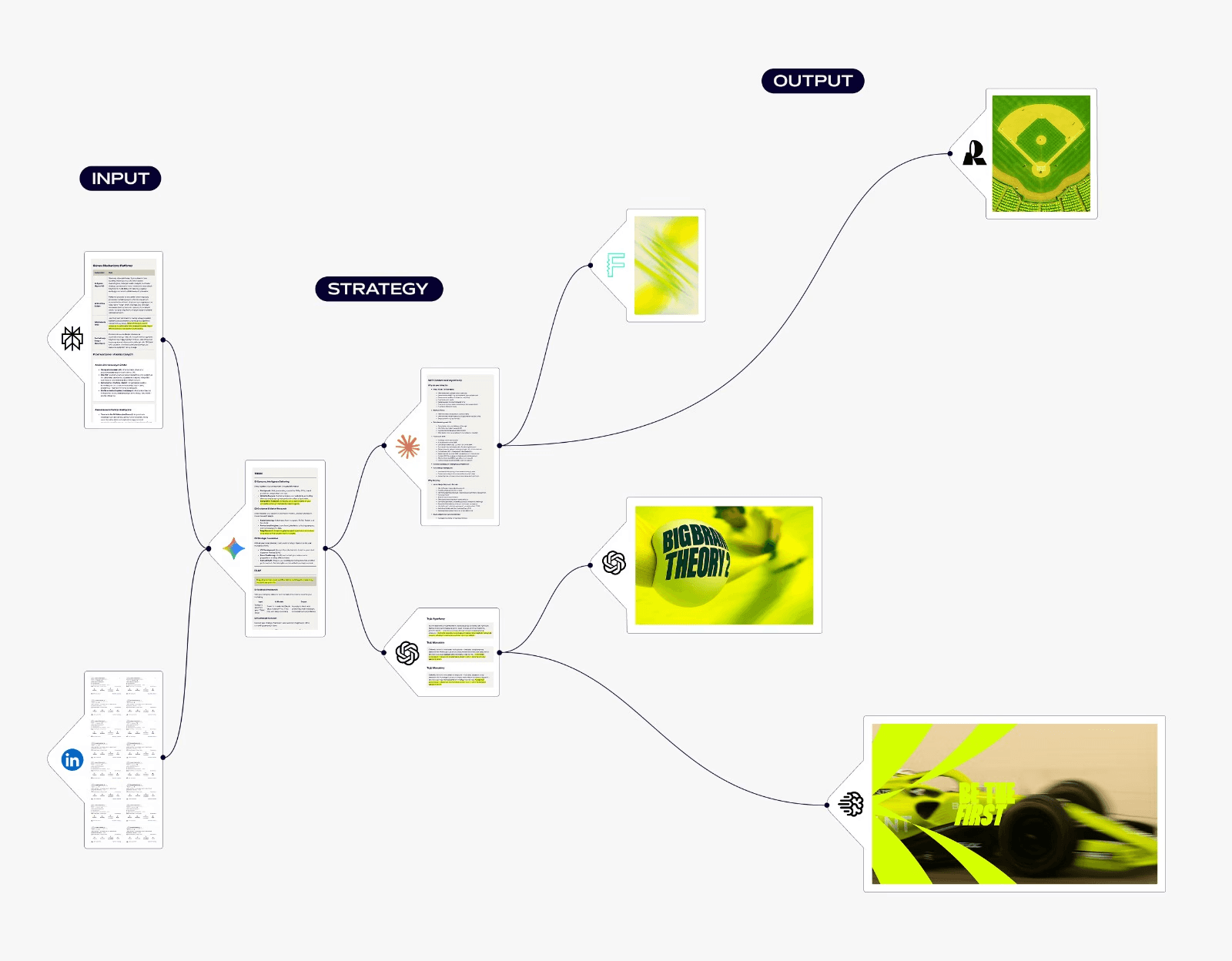
DFIRST is a visual workspace for building marketing campaigns. You drag nodes onto a canvas, connect them, and the system runs the steps for you—research, copy, images, and short videos. It cuts tool‑hopping and keeps context across the whole flow.
Who it’s for
Teams and agencies that need to ship campaigns fast
Marketers who want research, copy, and creatives in one place
Non‑technical folks who prefer a visual builder over code
How it works
Canvas: Build workflows by connecting nodes. Each node does one job (research, write, image, video) and passes its output forward.
Research: Pull current info from search engines, scrapers, and deep research agents. Gather competitor pages, social posts, sitemaps, and trends with citations.
Copy and visuals: Generate headlines, articles, ad copy, email sequences, and matching visuals. Edit images, create variations, and make short clips from scripts.
Models: Access 50+ AI models across leading providers. Route tasks to the right model, with fallbacks if one is busy.
Data Room: Store brand guidelines, product docs, past work, and links. The system uses this context to keep tone, facts, and style consistent.
Whiteboards: One space per initiative. Chat with the built‑in assistant to create or tweak a full workflow. Save and reuse flows for future campaigns.
DFIRST Toolkits
AI Text Models
Name | Purpose | |
|---|---|---|
Claude |  | Text Generation |
GPT |  | Text Generation |
Gemini |  | Text Generation |
Grok |  | Text Generation |
Graphic & Video Models
Name | Purpose | |
|---|---|---|
Sora |  | Video generation |
Stable Diffusion |  | Image generation & more |
Flux |  | Image generation |
Dalle | | Image generation |
Luma Video |  | Video generation |
Ideogram |  | Image generation |
Scraper
Name | Purpose | |
|---|---|---|
LinkedIn scraper |  | Scrape profiles, posts & more |
Instagram scraper |  | Scrape profiles, posts & more |
Facebook scraper |  | Scrape profiles, groups & more |
Youtube scraper |  | Scrape videos, thumbnails & more |
Twitter / X scraper |  | Scrape profiles, posts & more |
TikTok |  | Scrape videos, thumbnails & more |
Website Scraper |  | Collect text from urls |
Spider crawler |  | Collect web info |
Sitemap extractor |  | Collect pages from sitemaps |
Researcher
Name | Purpose | |
|---|---|---|
Google Researcher |  | Collect search results |
Company Researcher |  | Collect company info |
Agent Researcher |  | Collect insights |
Deep Research |  | Collect deep insights |
What you can make
Blog posts with sourced research and matching hero art
Paid social and search ads with asset variations
Email sequences and landing pages
SEO topic maps and briefs
Social carousels, thumbnails, and short videos
Pros
End‑to‑end flow in one place
Visual, reusable workflows
Real‑time research and scrapers
Strong brand alignment through the Data Room
Cons
You’ll need a bit of time to learn node logic
Some advanced models and video tools require the Pro plan
Pricing (summary)
Free: 80 tokens/day, 1 project
Starter ($39/mo): unlimited tokens, 3 projects
Pro ($199/mo): advanced models, more workspaces, unlimited projects
Enterprise: custom
Privacy and security
Files are encrypted in transit and at rest
Role‑based access controls
Your data isn’t used to train third‑party models
Quick start
Create a whiteboard and add your brief.
Upload brand guidelines to the Data Room.
Drop in research nodes (search, scraper) and connect them to a “Summary” node.
Feed that summary into copy nodes (blog, ads, emails).
Connect image/video nodes to generate matching creatives.
Review outputs, tweak prompts, and regenerate as needed.
Save the flow as a template for the next campaign.
Support
You receive 24/7 support regardless of your organization size. You also gain access to templates, a help center, guides, and instructional videos to maximize your productivity and ROI.
Generate your first flow for free - no credit card required.
ChatGPT for Content Teams — Real Use Cases
ChatGPT is the most versatile tool in an AI content stack. For content teams, there are 5 highest-value use cases:
First-draft generation — Blog posts, email sequences, social copy, video scripts. Use structured prompts with a full creative brief for publication-ready drafts rather than generic output.
Research synthesis — Feed ChatGPT a collection of sources such as competitor pages, customer reviews, and research reports, then ask it to synthesize the key themes, contradictions, and gaps. Faster and more thorough than doing it manually.
Headline and CTA testing — Generate 10 headline variants and 5 CTA variants for any content piece in under a minute. Use the output as a testing menu, not a final answer.
Content audit and refresh — Paste an existing piece and ask ChatGPT to identify outdated information, missing sections, and optimization opportunities for a target keyword.
Meeting prep and summarization — Summarize sales call transcripts, customer interview recordings, and research briefs into structured content briefs writers can use immediately.
Canva for Visual Content Creation
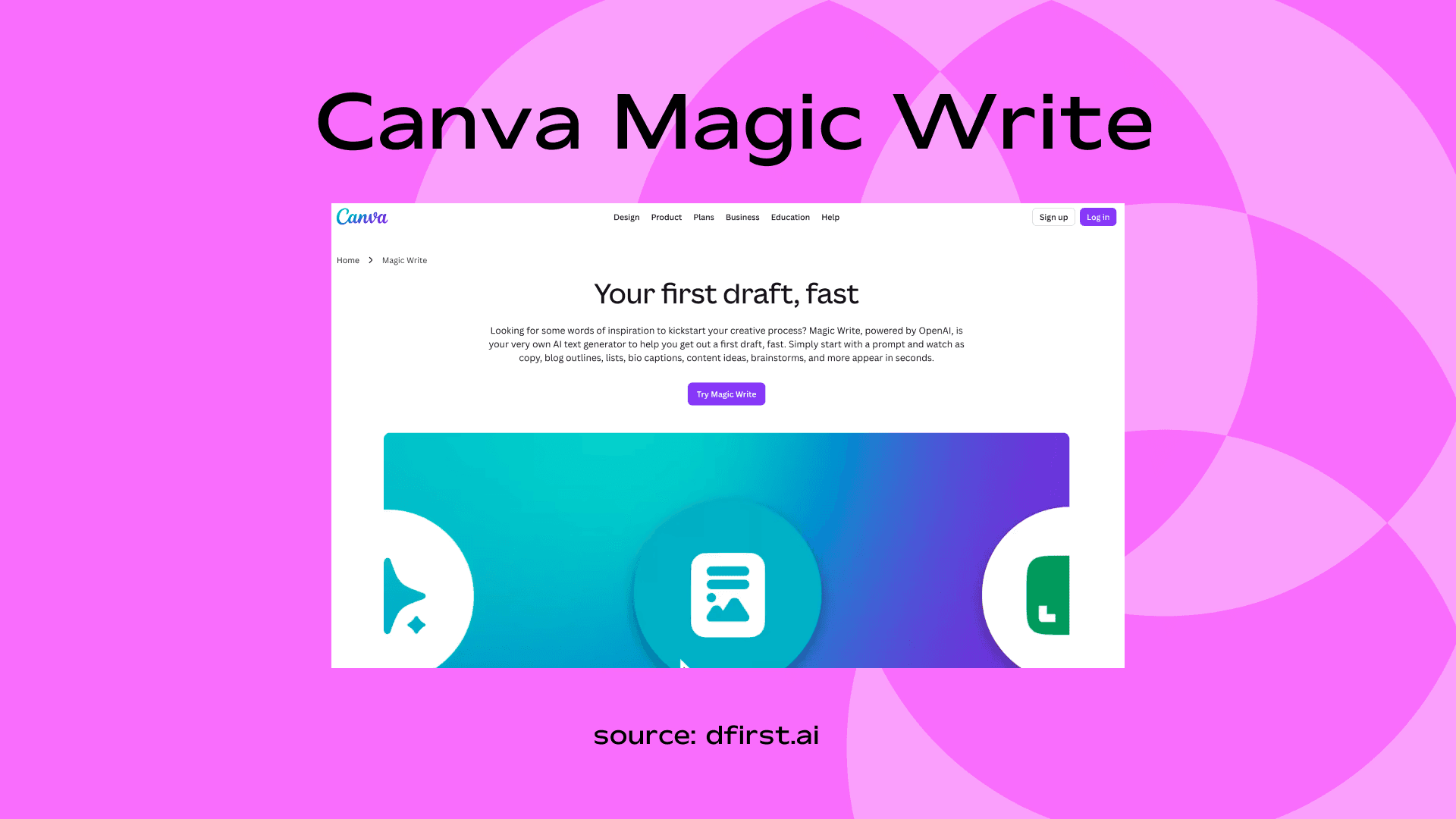
Canva Magic Write is the “creative helper” in my workflow. I usually use it inside Canva to pair text with visuals, making posts look complete in minutes.
Key Features
Built into Canva editor
AI copy inside designs
Social templates
Easy collaboration
Use Case / Example
Create Instagram posts with matching captions and visuals.
Pricing
Free limited plan
Pro – around $15/month
How to Build Your AI Content Tool Stack
Your AI content tool stack needs 7 components — one per major workflow stage:
Ideation & research — ChatGPT or Perplexity for VoC mining, intent gap analysis, and topic clustering
Writing — ChatGPT, Claude, or Jasper for first-draft generation and content variants
Visuals — Adobe Express, Canva AI, or Midjourney for graphics and visual content
Video — Synthesia, HeyGen, or Descript for blog-to-video repurposing
SEO — Semrush, Ahrefs, or Surfer SEO (with AI features) for keyword research and optimization
Personalization — Your existing email platform (HubSpot, Klaviyo) likely has AI personalization features you haven't activated yet
Analytics — Your CRM's built-in attribution reporting connected to your CMS
All in one content creation platfrom - DFIRST AI
The most common mistake teams make is adopting too many writing tools and under-investing in the predictive and analytics layer. Writing tools are visible and easy to demo. Predictive and analytics tools are where content connects to revenue.
Measuring AI Content Marketing ROI
ROI measurement is where most AI content marketing programs stall — not because the results aren't there, but because the measurement framework wasn't built before production started. Teams invest in tools, increase production volume, and then struggle to connect output to business results.
The Metrics That Matter vs Vanity Metrics
There are 7 metrics that matter for AI content marketing ROI, and 7 vanity metrics that look impressive but don't connect to revenue:
Metrics That Matter | Vanity Metrics |
Pipeline influenced ($) | Raw pageviews |
MQL volume attributed to content | Social shares |
MQL-to-SQL conversion rate by content type | Email open rate (standalone) |
Time-to-publish per asset (content efficiency) | Follower count |
Content-influenced deal velocity | Impressions |
Net revenue retention influenced by content | Blog subscribers (without conversion data) |
Cost per MQL by content format | Time on page (without behavior context) |
Vanity metrics are directionally useful at scale, but they shouldn't be your primary reporting currency to leadership. Pipeline and revenue attribution are the only metrics that connect content to business outcomes.
Set up content performance analytics before you start publishing. Connect your CMS to your CRM, tag content pieces in your marketing automation platform, and establish attribution models — first-touch, last-touch, and multi-touch — so you can measure contribution accurately.
Connecting Content to Pipeline and Revenue
Multi-touch attribution is the most accurate model for content ROI. To implement it, follow this 5-step framework:
Step 1 — Tag every content piece with a UTM structure that identifies the content type, topic cluster, and funnel stage.
Step 2 — Connect to your CRM so every deal has a list of content touchpoints associated with the contacts involved.
Step 3 — Calculate influenced pipeline for each content piece by summing the pipeline value of all deals that had at least one content touchpoint.
Step 4 — Report by content type to find which formats — blog posts, webinars, case studies — drive the most pipeline per asset produced.
Step 5 — Feed the data back into ideation — the content types with the highest pipeline-per-asset ratio should dominate your content calendar.
Marketing automation platforms such as HubSpot, Marketo, and Pardot have built-in attribution reporting that handles much of this automatically once UTM tagging and CRM sync are in place.
Content Forecasting — Predicting What Will Perform
Content forecasting uses past performance data to predict which topics, formats, and distribution channels will generate the most pipeline next quarter. It's the closest thing content teams have to a demand planning function — and no competing guide currently explains it.
To build a content forecast, follow these 5 steps:
Export 12+ months of content performance data — traffic, conversions, pipeline influenced, by piece.
Identify the patterns — which topic clusters, content formats, and distribution channels show the strongest correlation between engagement and pipeline?
Weight by recency — recent performance predicts future performance more accurately than older data.
Build a prioritization model — rank next quarter's content ideas by their predicted pipeline contribution based on historical patterns.
Review quarterly — the forecast improves as you collect more attribution data.
AI tools automate the pattern recognition step. Feed your performance dataset into an AI tool and ask: "Based on this performance data, which content topics and formats are most likely to influence pipeline in the next 90 days?"
Frequently Asked Questions
Q: What is the difference between generative AI and predictive AI in marketing?
Generative AI creates new content from prompts — text, images, video scripts, and social copy. Predictive AI analyzes behavioral data to forecast outcomes — which leads are most likely to convert, which content topics will drive traffic, which customers are at risk of churning. Most AI content marketing tools today are generative. Predictive AI requires integration with your CRM or analytics platform and is more common in enterprise stacks.
Q: Does AI content rank on Google?
AI-generated content ranks on Google when it meets E-E-A-T standards — Experience, Expertise, Authoritativeness, and Trustworthiness. Google evaluates content quality, not how it was produced. In practice, the highest-ranking AI-assisted content is typically 40–60% AI-drafted and heavily edited to add original insight, specific examples, and authoritative citations that a model cannot generate on its own.
Q: How do I use ChatGPT for content marketing without producing generic output?
To avoid generic output from ChatGPT, apply 3 techniques before you write a single prompt: (1) write a detailed creative brief — include your audience, tone, and what the piece needs to accomplish; (2) provide context the model doesn't have — customer quotes, your product's differentiators, internal data; (3) use the output as a structured draft to edit, not a finished piece to publish. The most common mistake is treating ChatGPT as a writer rather than a research assistant and first-draft engine.
Q: What is prompt engineering and do content marketers need to learn it?
Prompt engineering is the practice of structuring AI inputs to produce reliably useful outputs. For content marketers, it means specifying role, audience, tone, format, length, and constraints in your prompts rather than giving a bare instruction. You don't need to learn technical prompt engineering — but learning to write a clear brief for an AI model is the single highest-value skill for any content team using generative AI.
Q: How do B2B SaaS companies use AI for lead scoring?
B2B SaaS companies train predictive AI models on CRM data to identify which content engagement patterns correlate with closed deals. A prospect who reads your security documentation after downloading a competitive comparison page scores differently from one who only reads top-of-funnel blog posts. Tools such as HubSpot, Salesforce, and 6sense offer built-in predictive scoring. More advanced teams build custom models on first-party engagement data.
Q: How much time does AI actually save in content production?
Teams using generative AI save approximately 11.4 hours per week per person, according to Deloitte research. McKinsey reports AI enables content personalization up to 50x faster than manual approaches. For content teams specifically, the 3 biggest time savings come from first-draft generation (60–70% faster), content repurposing (blog-to-social in minutes vs. hours), and SEO keyword research (AI-assisted clustering vs. manual spreadsheet work).
Q: What is audience simulation and how do content teams use it?
Audience simulation is the practice of using AI to role-play your target buyer — asking the model to respond to your content as if it were a specific ICP. Before publishing, feed your draft to the model with a persona prompt and ask what a VP of Marketing at a 200-person SaaS company would think of it, what questions they'd have, and what would make them distrust it. It's a low-cost way to pressure-test content before it reaches real readers.
It's a wrap
AI content marketing isn't about replacing your content team — it's about removing the ceiling on what a good team can produce. Generative AI handles the volume problem. Predictive AI handles the targeting and timing problem. Together, they shift content from a cost center to a measurable revenue driver.
Start with the fundamentals: a clear strategy, audience segments you understand, and content goals tied to pipeline. Then layer in AI where it removes friction — ideation, drafting, repurposing, personalization, and measurement. The teams winning with AI right now aren't the ones with the most tools; they're the ones with the most disciplined process behind the tools.
If you're ready to go deeper on any part of this framework, start with prompt engineering — it's the fastest skill to build and the one with the most immediate impact on everything else in your AI content workflow.