Most creators don't have a content problem. They have a reuse problem.
You've already written the blog post, recorded the podcast, or filmed the video. The ideas are solid. The research is done. But that content sits in one place, reaching one audience, in one format — and then it's gone. Meanwhile, you're starting from scratch again next week.
That's the real bottleneck. And content repurposing with AI is how you fix it.
This guide walks you through what AI-powered content repurposing actually is, why it matters more in 2026 than ever before, and exactly how to build a workflow that takes one long-form asset and turns it into a week's worth of posts, emails, and social content — without duct-taping five different tools together.
To be precise, we'll cover:
What content repurposing with AI is and how it works
Why your current content strategy is leaving reach on the table
How to build an AI repurposing workflow from scratch
The best content formats to repurpose first
Tools worth using and common mistakes to avoid
Let's get into it.
This article is part of our content marketing series where we cover building your first AI-assisted content workflow through advanced use cases like topic clustering, audience simulation, and content repurposing at scale.
What Is Content Repurposing with AI?
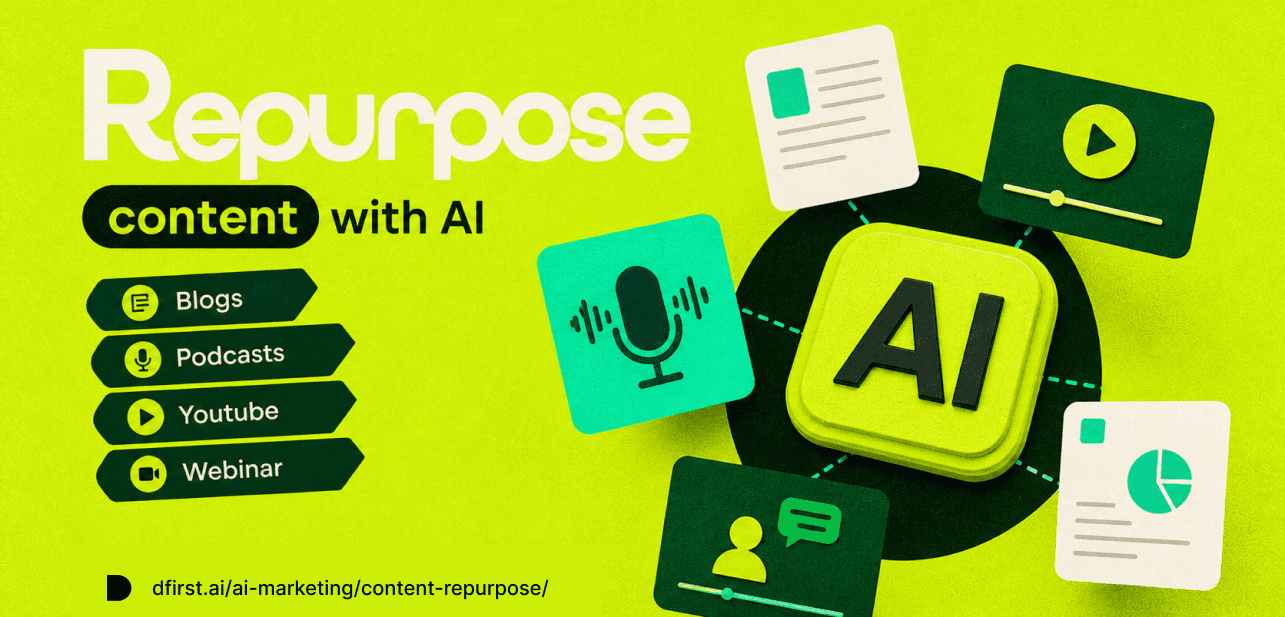
Content repurposing with AI is the process of using artificial intelligence to automatically transform a single long-form asset — such as a blog post, podcast episode, webinar, or YouTube video — into multiple shorter, platform-specific pieces of content, including social media posts, email newsletters, video clips, and summaries.
Traditional content repurposing means manually adapting your content for each channel. That takes 5 to 8 hours per asset. AI-powered repurposing cuts that to under 30 minutes by handling transcription, summarization, tone adaptation, and format conversion automatically — while working directly from your own words, structure, and ideas.
The result isn't generic filler. When AI has real source material to analyze, it produces outputs grounded in your actual message. That's what separates AI-assisted repurposing from AI-generated content written from scratch.
Why Content Repurposing with AI Is No Longer Optional
Publishing once and moving on is the single biggest waste in content marketing.
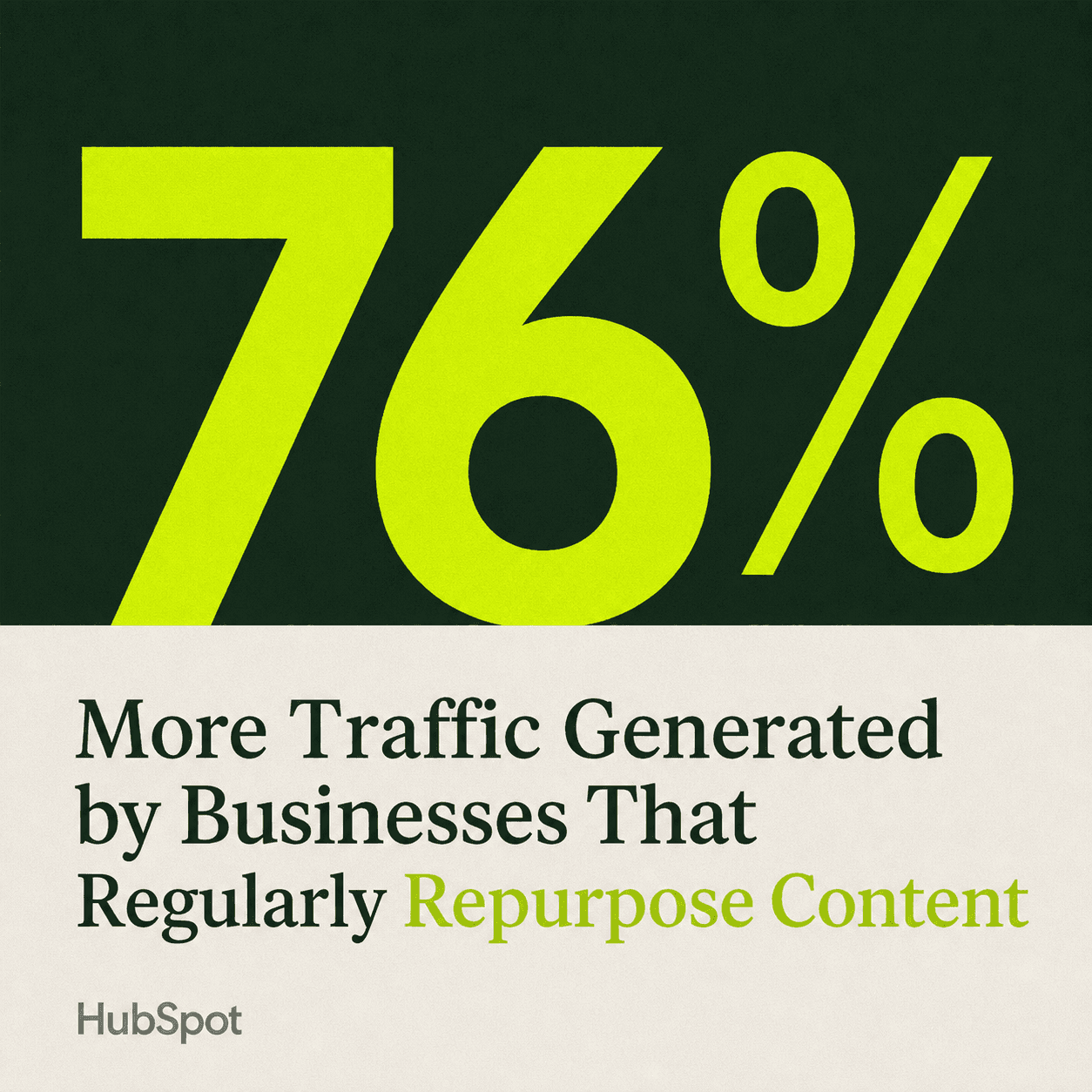
According to HubSpot's State of Marketing Report 2025, businesses that regularly refresh and repurpose content generate 76% more traffic than those relying only on new posts. Statista's Content Marketing Outlook 2025 found that 65% of marketers now use AI tools for content repurposing, up from a fraction of that just two years ago.
Here's why the numbers have shifted so fast:
Your audience doesn't live on one platform. Some people read long-form blog posts. Others scan LinkedIn on their lunch break. Others only watch short-form video. The same idea needs to reach them where they actually are — and in the format they prefer.
Content has a short shelf life. A well-crafted blog post gets traffic for the first week, then fades. Repurposing extends that reach by spreading the same ideas across channels over time, rather than burning them on a single publish date.
Creating from scratch every time is unsustainable. For solo creators, small teams, and anyone wearing multiple hats, the math simply doesn't work. AI-powered repurposing lets you multiply the value of work you've already done — no fresh research, no blank page.
Brand consistency requires repetition. Audiences need to hear your key messages multiple times before they stick. Repurposing ensures your core ideas get reinforced across channels without sounding like a copy-paste job.
How to Build an AI Content Repurposing Workflow
Building an AI content repurposing workflow takes three stages: picking your source content, setting up the AI pipeline, and defining your output formats. Here's how each one works.
Step 1: Identify your pillar content
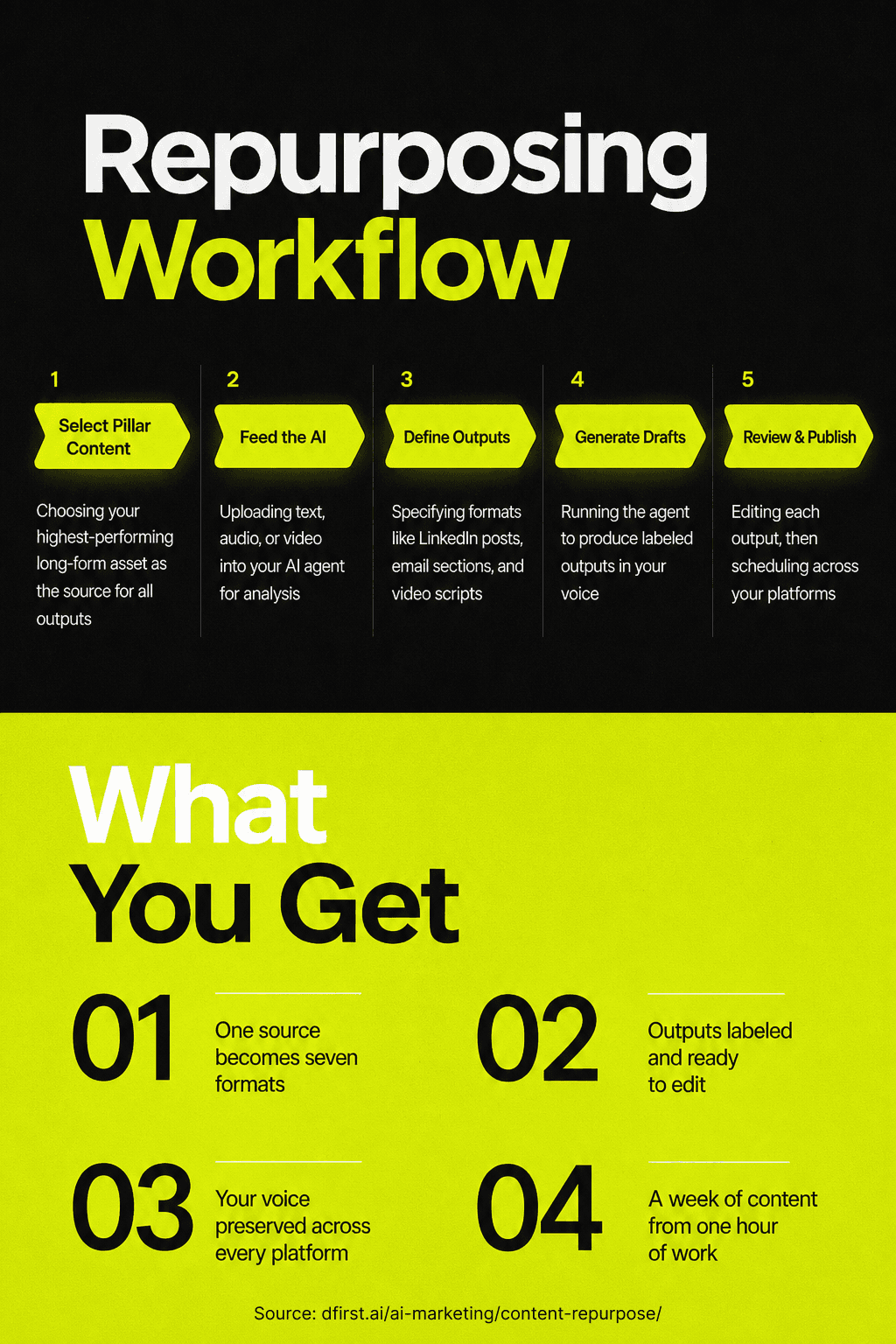
Pick one piece of content per cycle to repurpose. This is your "pillar" — the source everything else comes from.
The best options are long-form assets with real substance: a blog post over 1,000 words, a podcast episode over 20 minutes, a YouTube video over 10 minutes, or a detailed newsletter issue. The more depth in the source, the more outputs you can extract from it.
Don't start with your worst content. Start with your highest-performing or most evergreen piece — the one that already proved it resonates with your audience. Tools like Google Search Console can surface near-ranking content that would benefit most from a repurposing push.
Step 2: Feed the content into your AI agent
Modern AI repurposing tools — including no-code agent builders — let you upload your source content as text, PDF, audio, or video. The AI then analyzes the themes, structure, and key ideas before generating anything.
This analysis step is what separates quality repurposing from generic summaries. When the AI works from your actual words, it produces outputs in your voice, using your examples, not filler content assembled from training data. Context is where the quality comes from.
If you're using a tool like an AI agent builder, you can describe what you want in plain language: "Take this long-form content and repurpose it into LinkedIn posts, short social captions, and an email subject line series." No code required. The agent handles the logic.
Step 3: Define your output formats
Before running the agent, decide which formats you need. Common repurposing outputs include:
LinkedIn posts — 150–300 words, insight-led, one key idea per post
Short social captions — 50–100 words, platform-specific tone (Twitter/X, Instagram, Facebook)
Email newsletter section — 200–400 words, framed as a valuable update for subscribers
Email subject lines — 5–8 options optimized for open rate
Blog post summary — 150 words, designed to drive traffic back to the full post
Short-form video script — 60–90 second script for Reels, TikToks, or YouTube Shorts
Podcast show notes — key takeaways and timestamps
Separate outputs make editing faster. When each format comes back as a clearly labeled section, you can scan, adjust, and schedule without digging through one long response.
Step 4: Review, refine, and publish
AI produces a strong first draft — not a final one. Read every output before it goes out. Check for accuracy, adjust the tone to match how you actually speak, and add any context the AI might have missed.
The best part: you can refine by talking to the agent. "Rewrite this LinkedIn post to sound more conversational." "Make these captions shorter." "Add a call to action to the email section." One conversation, no rebuilding the workflow.
Once the outputs are approved, schedule them across platforms. You've just turned one piece of content into a week of posts in under an hour.
The Best Content Types to Repurpose First
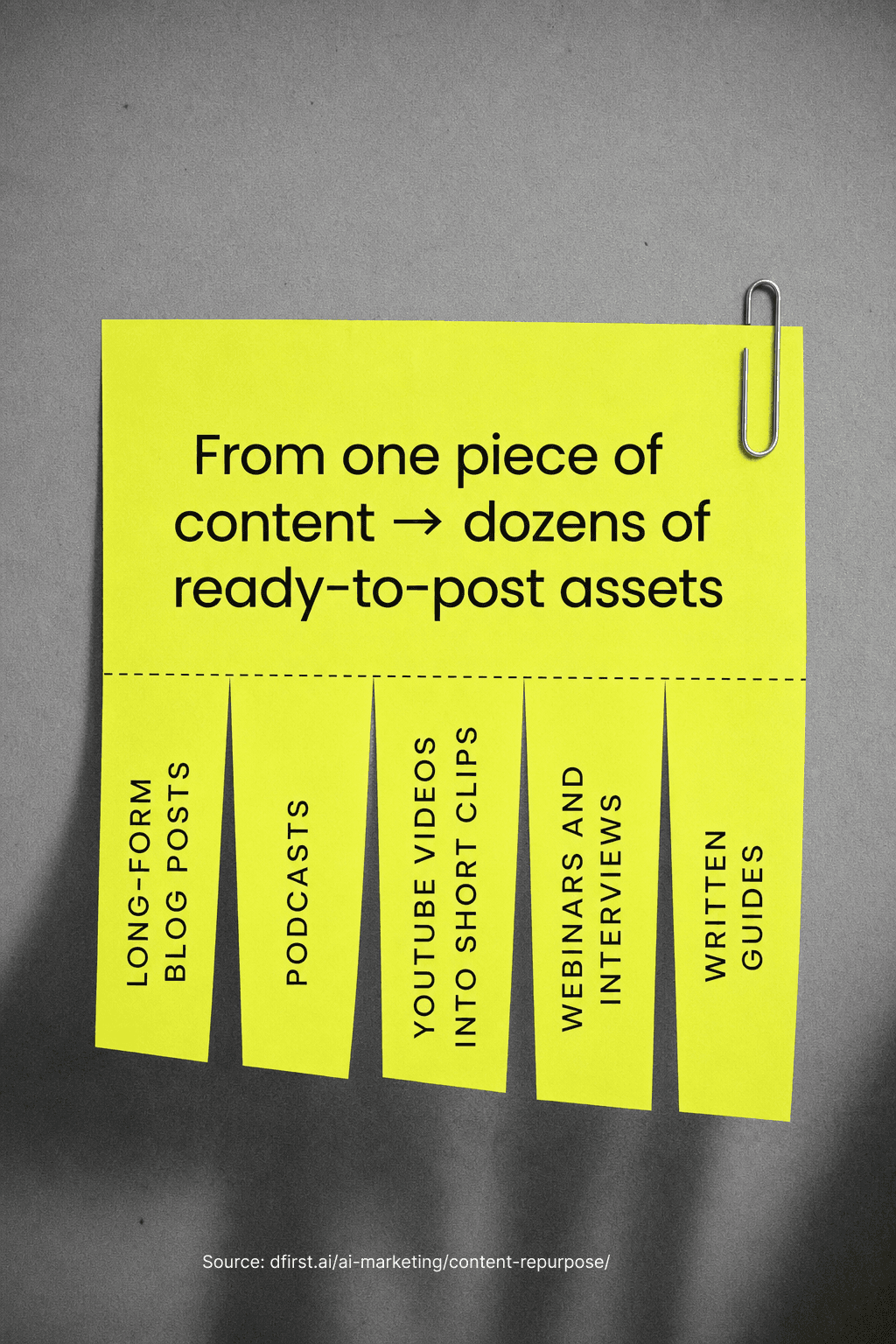
Not all content is equally repurpose-friendly. These 5 formats give you the most outputs per input.
1. Long-form blog posts → social media posts
Blog posts are a goldmine of repurposable content. A 2,000-word article typically contains 8–12 standalone ideas that each work as individual social posts. AI can pull those out, reframe them for the platform, and generate captions, thread starters, or LinkedIn insights — without you doing it manually.
2. Podcast episodes → newsletters and blog posts
Podcasts are conversation-dense, but most people never go back and read them. AI transcription tools turn your audio into text, which can then feed into newsletters, blog summaries, or short quote graphics. The casual conversational style of podcast speech often translates well into email, where formal writing feels stiff.
3. YouTube videos → multiple short formats
A 10-minute YouTube video typically contains enough material for 3–5 short-form video clips, a full blog post, a LinkedIn article, and a series of social quotes. AI tools that work with video can identify the highest-engagement moments, generate transcripts, and produce platform-specific clips automatically.
4. Webinars and interviews → lead-generation assets
Webinars are underused repurposing sources. A 60-minute session contains presentations, Q&As, case studies, and expert quotes — all of which can become blog posts, social proof snippets, email sequences, and downloadable guides. AI can process the full recording and surface the most valuable moments in minutes.
5. Long-form written guides → quick-reference formats
A detailed how-to guide can become an infographic outline, a checklist, a short video script, or a carousel post. AI can extract the numbered steps, simplify the language for a different audience, and reframe the structure for a visual format.
AI Tools Worth Using for Content Repurposing
The market has matured quickly. Here are the types of tools worth building into your workflow.
AI agent builders (no-code) — Platforms that let you describe a workflow in plain language and generate a reusable AI agent from it. These are the most flexible option for solo creators and small teams who want a repeatable process without hiring developers. Tools such as DFIRST.ai, Zapier, Make.com etc.
Video repurposing platforms — Tools that accept video uploads, identify high-engagement moments, generate transcripts, create clips with captions, and output platform-specific formats automatically. Tools such as Veed.io, Opus clip, Goldcast etc.
AI writing assistants with brand memory — Tools connected to your content library and brand guidelines, so repurposed outputs stay consistent with your existing voice. These work best when you feed them your brand guidelines upfront. Tools such as Copy.ai, DFIRST.ai, Jasper etc.
All-in-one content management platforms — Platforms that combine repurposing, scheduling, and analytics in one workflow, so you're not switching between five tabs. Tools such as Buffer, DFIRST.ai, Notion etc.
The key feature to look for in any tool: flexibility around AI models. You shouldn't be locked into one model. As AI improves, your workflow should stay the same while the underlying model gets better.
Common Mistakes That Waste Your AI Repurposing Efforts
Knowing the pitfalls saves you from rebuilding the workflow from scratch.
Mistake 1: Starting with low-quality content. AI amplifies what you give it. If the source material is thin, vague, or poorly structured, the outputs will be too. Always repurpose your strongest content first.
Mistake 2: Skipping the review step. AI outputs are drafts, not final copy. Publishing without reading is how brand voice inconsistencies and factual errors slip through. Set aside 15 minutes per asset for review — it's still 80% faster than writing from scratch.
Mistake 3: Treating every platform the same. A LinkedIn post and an Instagram caption serve different audiences with different behaviors. AI can adapt tone and length by platform, but you need to tell it to. Define platform-specific output specs in your workflow.
Mistake 4: Repurposing without a distribution plan. Creating 10 posts and letting them pile up in a folder isn't a strategy. Build scheduling into the workflow so repurposed content actually gets published in a consistent cadence.
Mistake 5: Rebuilding the workflow for every piece of content. The whole point of an AI repurposing workflow is that it's reusable. Once you've built it and tested it, publish it, save it, and run the same asset through it every time. Consistency comes from the workflow, not from doing it manually each cycle.
Frequently Asked Questions
How often should you repurpose content? Most creators and marketers repurpose content on a weekly cadence — pick one pillar asset per week, run it through the workflow, and schedule the outputs across platforms. High-performing evergreen content can be repurposed again 3–6 months later with updated framing or new examples.
What's the difference between repurposing and recycling content? Repurposing transforms content into a new format with adapted structure, tone, and length. Recycling is reposting the same content unchanged. AI-powered repurposing always involves adaptation — the output should feel native to the destination platform.
Does repurposed content hurt SEO? Not if done correctly. The issue is duplicate content — publishing identical text across multiple pages. AI-repurposed content avoids this by producing genuinely different outputs adapted for different channels. On-page SEO applies to the blog and website; social posts and email newsletters don't carry the same duplicate content risk.
Can AI repurpose content in my brand voice? Yes, provided you train the tool with your brand guidelines. The more context the AI has — examples of your writing, tone guidelines, audience descriptions — the more accurately it can match your voice. Generic outputs are almost always a sign that not enough context was provided upfront.
How do I measure the ROI of repurposed content? Track channel-level performance for repurposed posts versus original content. Key metrics include engagement rate, click-throughs back to the source asset, email open rates for newsletter adaptations, and organic reach over time. A useful benchmark: if repurposed content drives 20–30% of the engagement of the original, the workflow is paying for itself.
It's a wrap
Content repurposing with AI isn't about producing more for the sake of it. It's about making sure the ideas you've already worked hard on reach the people who need them — in the format they actually consume.
Start with one pillar piece. Build a workflow that runs the same logic every time. Review the outputs, refine by talking to the agent, and publish consistently. The blank page problem disappears. The manual copy-paste cycle disappears. What's left is a repeatable system that compounds over time.
Pick your best piece of content from this month and run it through an AI repurposing workflow this week. The first time is the hardest — after that, it just runs.